

Make your car sound like a V8
Brul is a web app that turns your phone into an engine sound generator for any car: its motion sensors read how hard you accelerate, and a matching engine plays through your car’s speakers over Bluetooth or a cable. Petrol, diesel, hybrid or electric, with nothing to install or wire into the car.

How does a phone make your car sound like a V8?
Your phone already holds the sensor Brul needs. Its accelerometer notices the car starting to pull within a few tens of milliseconds. After a one-time calibration in its holder, Brul turns that acceleration, plus air resistance, into engine load, and uses GPS only to keep the speed right, which sets the revs in a virtual seven-speed gearbox.
The engine isn’t a looped recording either. Brul calculates it as you drive, from the firing order of the engine you picked, so a cross-plane V8 burbles unevenly and an inline-six stays silky, and every shift, blip and pop happens when your driving calls for it. The result goes wherever your phone’s audio goes: the car stereo over Bluetooth or a cable, or the phone’s own speaker.
How do you set it up over Bluetooth or a cable?
Do this once, parked, before your first drive.
- Put your phone in a holder. The angle doesn’t matter, but the phone mustn’t move.
- Connect it to the car over Bluetooth or a cable, the way you play music. No connection in your car? The phone’s speaker works too; turn on Small speaker to hear the low end.
- Open brul.app, choose Drive, pick your car under Your car, then an engine and a drive mode. Tap Start, allow motion and location, and set the volume on the car low enough to hear traffic and sirens.
- Calibrate: stand still while Brul measures, then pull away straight with firm throttle. One second of pulling away is enough.
- Drive, and leave the phone alone while you’re moving. Calibration holds as long as the phone stays in the same holder; if it shifts, Brul adjusts by itself at the next stop.
How does Brul match your car?
Under Your car, pick the car you drive. The list has more than 90: the Teslas and other electric cars, everyday petrol and diesel cars such as a Renault Clio, a Volkswagen Golf or a Toyota Corolla, and sports cars right up to hypercars; tap Electric, Petrol or Diesel to see only those. Brul uses the weight, power and top speed of the car you pick to work out throttle and shifting, so full throttle in your car also sounds like full throttle. It doesn’t change the sound: the engine you hear, you choose under Sound of.
Driving a car that isn’t listed, say a 2003 Opel Corsa? Search for it anyway: if Brul doesn’t know it, the Car not listed? form is right there, with what you typed as the make and model. Add its top speed, and its power if you know it, then tap Tune to my car. Without the power, Brul works out what it takes to reach that top speed against air and rolling resistance, plus a weight and a 0–100 km/h time to match; with it, weight and 0–100 follow from the power. The gears and shift points are set to suit.
Driving electric? Then choose Electric under Fuel. Brul then starts from what electric cars with that top speed typically weigh and how quickly they reach 100 km/h: at 160 km/h, about 1,650 kg and 7.9 seconds, instead of the 970 kg and 14 seconds a petrol car with that top speed gets.
The lower the top speed, the earlier Brul shifts up and the sooner it revs high. At full throttle, a car with a top speed of 150 km/h (93 mph) shifts into second at about 44 km/h (27 mph) and into third at about 61 (38 mph); a Ferrari 458 makes the same shifts at about 95 and 133 km/h (59 and 83 mph).
Is there a delay?
A little, and most of it comes from the connection, not the sensor. This is where delay comes from and what Brul does about it.
| Link in the chain | Typical delay | What Brul does |
|---|---|---|
| Phone motion sensor | A few tens of milliseconds | Serves as the throttle sensor, so the engine answers your foot rather than your speed |
| GPS | 1 to 2 seconds | Only keeps speed and revs right; not used as the throttle |
| Bluetooth to the car | Usually 100 to 250 ms | Set Sound lead to 150–250 ms and Brul predicts your throttle slightly ahead |
| Phone speaker | Immediate | Turn on Small speaker so the bass comes through |
If the sound feels late over Bluetooth, start with a Sound lead of about 200 ms in Settings.
Tips for daily driving
Keep Brul in view
A web page only gets sensor data while it’s on screen. If the screen turns off or Brul goes to the background, the sound keeps playing but can no longer follow your throttle, so turn off auto-lock before you drive. On Android there’s a way around it: turn on Black screen under Settings, and when you switch to another app, Brul stays in a small floating window and keeps following your throttle.
Navigation side by side
Run your maps in split screen or a pop-up window next to Brul. As long as Brul stays visible, it keeps following your throttle. On Android it’s even simpler: turn on Black screen, open your maps, and Brul floats along in a small window.
Battery saver
On Android, set Chrome (and Brul) to Unrestricted under Battery, or the system may silence the sound.
Volume on speed
Speed-sensitive volume plays 1.5 dB softer at walking pace, normal from 50 km/h (about 30 mph) and 4.5 dB louder at 130 km/h (about 80 mph), over the wind noise.
Which V8 do you want?
Three V8s, three characters. The cross-plane V8 rumbles at 700 rpm with an uneven lope and pulls to 7,200. The big-block is a 454-cubic-inch carburetted muscle engine: deeper, slower, done at 6,500 rpm, with no fuel cut when you lift off. The flat-plane V8 behaves like two four-cylinders on one crankshaft: even firing, a hard edge and a shriek at 9,000.
Not a V8 person?
Brul has nine more engines, from a warbling five-cylinder turbo and a burbling flat-four to a twin-rotor rotary and a race V10 that revs to 19,000 rpm. Each has its own page with a clip and the facts behind the sound.
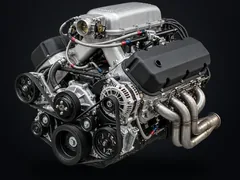 V8Cross-plane V8: the deep, uneven burble of muscle cars
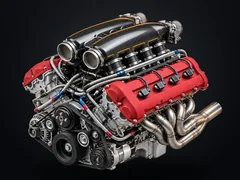 Flat-plane V8Flat-plane V8: two four-cylinders on one crank, to 9,000 rpm
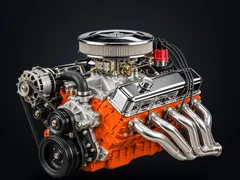 Big-block V8Big-block V8: a 454-style carburettor V8 with a loping idle
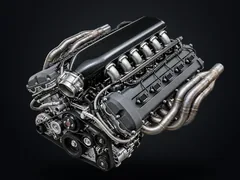 V10V10: odd-firing 90/54°, a throaty howl to 8,500 rpm
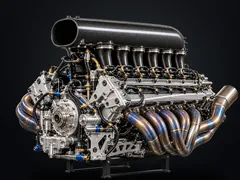 F1 V103.0 L race V10: ten even pulses, 4,500 idle, 19,000 rpm redline
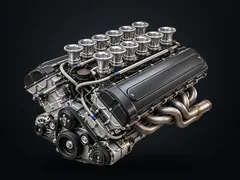 V12Naturally aspirated V12: 60° even firing, 8,700 rpm shriek
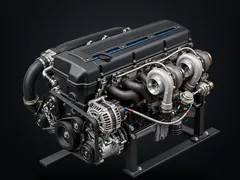 Inline-6Naturally aspirated straight six: even 120° firing, 8,000 rpm wail
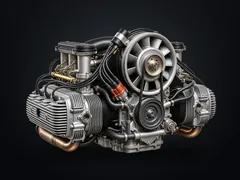 Flat-6Naturally aspirated boxer six: bark low, wail to 9,000 rpm
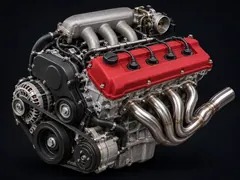 VTEC 4-cylinderHigh-revving four without a turbo: the cam switches at 5,800 rpm
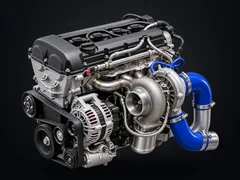 4-cylinder turboTurbo whistle, blow-off and crackle: the hot-hatch sound
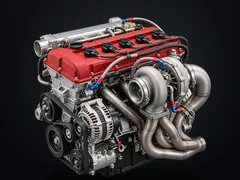 5-cylinder turboFive cylinders every 144°: the inline-five turbo warble
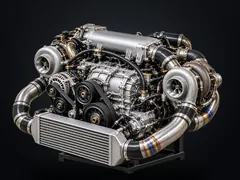 Rotary turboTwin-rotor Wankel with sequential turbos and a brap idle
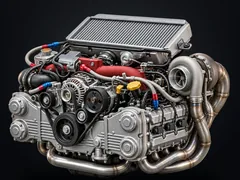 Flat-4 turboEven firing, unequal headers: the turbo boxer rumble
Does it work in a petrol or diesel car?
Yes. Brul plays through your car’s speakers like music, so it works in anything with a stereo your phone can reach. In a quiet car, such as an electric car, a hybrid or a hushed petrol hatchback, you hear Brul on its own; with a louder engine it mixes with the real one.
That makes it an easy way to try a different character: a diesel commuter with a flat-six wail, a sensible estate with a big-block burble. Pops and bangs are sound only, so you get them without a tune and without touching the engine. With Brul Pro you also choose the exhaust: stock, sport or straight pipe.
Driving electric? See engine sound for electric cars. In a Tesla, Brul also runs in the car’s own browser.
Your car, any engine
Open brul.app on your phone, connect it to the car and drive. Try it free now, with every engine unlocked.
Try it in your carQuestions
Does it work in any car?
If your car can play your phone’s audio over Bluetooth or a cable, it can play Brul; without that, the phone’s own speaker works too. Petrol, diesel, hybrid and electric all work, because Brul reads the phone’s sensors, not the car.
Do I need to install an app?
No. Brul runs in the browser at brul.app. Add it to your home screen and it starts faster, works offline and has no address bar; on an iPhone, tap Share in Safari and choose Add to Home Screen.
What phone do I need?
A phone with a modern browser and motion sensors. On Android, open brul.app in Chrome; on an iPhone, use Safari and allow motion access when it asks.
Do I have to calibrate every time?
No. Calibrate once, and as long as the phone stays in the same holder you don’t need to do it again. If the phone moves, Brul notices and adjusts by itself at the next stop.
Does Brul change anything on my car?
No. Brul only makes sound. It doesn’t connect to your car, needs no OBD adapter and changes nothing about how it drives; the pops and bangs are sound, not a tune.
Is it safe to use while driving?
Set everything up before you drive and leave the phone alone while you’re moving; even the purchase screen waits until you have parked. Keep the volume low enough to hear traffic and sirens.
Can I record what it sounds like?
Yes. The clip button next to the rev counter records 15 seconds of vertical video with exactly the sound you hear, ready to share or save. Let a passenger press it.
What does it cost?
The first 5 minutes in Simulation are Pro, and in Drive you get a 10-minute test drive (standing still doesn’t count). Brul Pro is €9.99 once ($9.99 / £9.99): all 13 engines, Sport and Track, pops and bangs, exhaust choice and tunnel mode, on up to 5 devices. No subscription, no account.